Code Sketch
yadnesh shahare using gemeni
Category: Programming
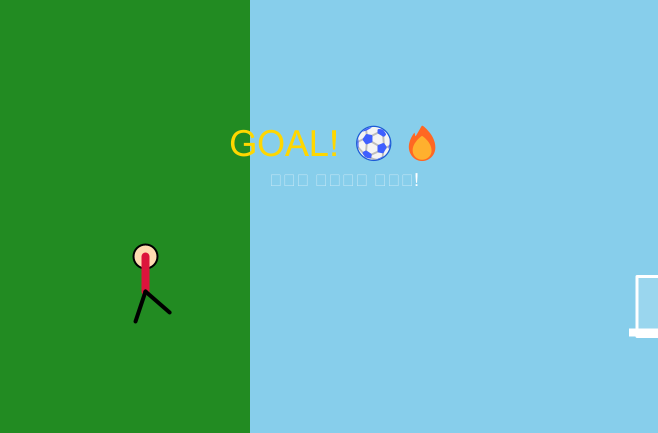
// --- Kojo 2D Animation: Kick, Bounce & GOAL! ---
cleari()
setBackground(Color(135, 206, 235)) // ??????? ???? ??? (Sky Blue)

val groundY = -120.0

// Ground & Grass
def drawPitch(): Unit = {
  val pitch = Picture.rect(canvasBounds.width, 250)
  pitch.setFillColor(Color(34, 139, 34)) // ????? ?????
  pitch.setPenColor(noColor)
  pitch.setPosition(-canvasBounds.width/2, groundY - 250)
  draw(pitch)

  // Goal Post Line
  val goalLine = Picture.rect(8, 160)
  goalLine.setFillColor(Color(255, 255, 255))
  goalLine.setPenColor(noColor)
  goalLine.setPosition(300, groundY)
  draw(goalLine)

  // Goal Net Frame
  val goalNet = Picture.rect(60, 150)
  goalNet.setFillColor(Color(255, 255, 255, 40))
  goalNet.setPenColor(Color(255, 255, 255))
  goalNet.setPenThickness(3)
  goalNet.setPosition(308, groundY)
  draw(goalNet)
}

// Draw Football
def drawBall(x: Double, y: Double, rotation: Double): Unit = {
  val ballRadius = 14.0
  val ball = Picture.circle(ballRadius)
  ball.setFillColor(Color(255, 255, 255))
  ball.setPenColor(Color(0, 0, 0))
  ball.setPenThickness(2)
  ball.setPosition(x, y + ballRadius)
  draw(ball)

  // Black Spots on Football
  val spot = Picture.circle(4)
  spot.setFillColor(Color(0, 0, 0))
  spot.setPenColor(noColor)
  spot.setPosition(x + Math.cos(rotation) * 5, y + ballRadius + Math.sin(rotation) * 5)
  draw(spot)
}

// Draw Player (Stickman Style with Kicking Motion)
def drawPlayer(x: Double, legAngle: Double): Unit = {
  val pY = groundY + 20

  // Head
  val head = Picture.circle(12)
  head.setFillColor(Color(255, 220, 177))
  head.setPenColor(Color(0, 0, 0))
  head.setPosition(x, pY + 60)
  draw(head)

  // Jersey (Body)
  val body = Picture.line(0, -35)
  body.setPenColor(Color(220, 20, 60)) // Crimson Red Shirt
  body.setPenThickness(8)
  body.setPosition(x, pY + 60)
  draw(body)

  // Standing Leg
  val leftLeg = Picture.line(-10, -30)
  leftLeg.setPenColor(Color(0, 0, 0))
  leftLeg.setPenThickness(4)
  leftLeg.setPosition(x, pY + 25)
  draw(leftLeg)

  // Kicking Leg
  val kickDx = Math.cos(Math.toRadians(legAngle)) * 32
  val kickDy = Math.sin(Math.toRadians(legAngle)) * 32
  val rightLeg = Picture.line(kickDx, kickDy)
  rightLeg.setPenColor(Color(0, 0, 0))
  rightLeg.setPenThickness(4)
  rightLeg.setPosition(x, pY + 25)
  draw(rightLeg)
}

// Physics & Animation State Variables
var playerX = -320.0
var ballX = -150.0
var ballY = groundY
var ballVx = 0.0
var ballVy = 0.0
val gravity = -0.55
var legAngle = -60.0
var isKicked = false
var hasScored = false

// Main Animation Loop
animateWithState(0) { step =>
  erasePictures()

  // 1. Draw Field & Background
  drawPitch()

  // 2. Player Mechanics (Run & Kick)
  if (!isKicked) {
    playerX += 3.5 // Player runs towards ball
    legAngle = -60.0 + Math.sin(step * 0.3) * 20.0 // Running leg motion

    // Kick Collision Trigger
    if (playerX >= ballX - 35) {
      isKicked = true
      legAngle = 25.0 // Kick Swing Leg forward
      ballVx = 10.5   // Launch Forward Speed
      ballVy = 13.0   // Launch Upward Jump Speed
    }
  } else {
    // Post-kick leg follow-through
    if (legAngle > -40) legAngle -= 2.0
  }

  // 3. Football Physics & Bounce Mechanics
  if (isKicked) {
    ballX += ballVx
    ballY += ballVy
    ballVy += gravity // Apply Gravity

    // Bounce on Ground
    if (ballY <= groundY && !hasScored) {
      ballY = groundY
      ballVy = -ballVy * 0.65 // Elasticity Coefficient (Bounciness)
      ballVx *= 0.88          // Ground Friction
    }

    // Goal Collision Event
    if (ballX >= 310 && ballY <= groundY + 120) {
      hasScored = true
      ballVx = 0.5  // Slow down inside the net
      ballVy = -1.0
    }
  }

  // Render Character and Football
  drawPlayer(playerX, legAngle)
  drawBall(ballX, ballY, step * 0.2)

  // 4. GOAL Banner Celebration
  if (hasScored) {
    val goalText = Picture.text("GOAL! ??", 36)
    goalText.setPenColor(Color(255, 215, 0)) // Golden Goal Text
    goalText.setPosition(-100, 100)
    draw(goalText)

    val subText = Picture.text("??? ???? ???!", 18)
    subText.setPenColor(Color(255, 255, 255))
    subText.setPosition(-60, 50)
    draw(subText)
  }

  step + 1
}